

Get started with MicroPython on Raspberry Pi Pico
Get started with MicroPython on Raspberry Pi Pico
The Official Raspberry Pi Pico Guide
Paperback
Couldn't load pickup availability
Join our rewards scheme and earn reward points on this purchase!
Earn points on this!
Sign in or Sign up!- Release Date: 25/06/2024
- Barcode: 9781912047291
- Genre: Technology & Engineering
- Sub-Genre: Electronics & Communications
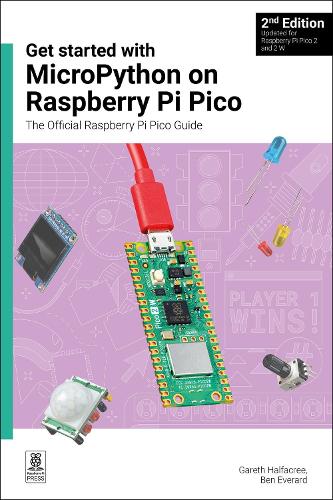

Get started with MicroPython on Raspberry Pi Pico
Couldn't load pickup availability
Collapsible content
DESCRIPTION
The Official Raspberry Pi Pico Guide Microcontrollers, like the RP2350 chip at the heart of Raspberry Pi Pico 2, are computers stripped back to their bare essentials. You don't use monitors or keyboards with them — instead, you program them over USB to take their input from (and send their output to) on-board input/output pins. Using these programmable connections, you can light LEDs, make noises, send text to screens, and much more. In Get started with MicroPython on Raspberry Pi Pico 2nd Edition, you will learn how to use the beginner-friendly MicroPython language to write programs, and you’ll connect up hardware to make your Raspberry Pi Pico interact with the world around it. Using these skills, you can create your own electromechanical projects. Fully updated for Raspberry Pi Pico 2 and 2 W, as well as the latest version of MicroPython, this book shows you how to: Whether you're using Raspberry Pi Pico for a home project, industrial automation, or learning (or teaching!) electronics and programming, this book will show you how.
Microcontrollers, like Raspberry Pi Pico, are computers stripped down to their bare essentials (no keyboard, mouse, or monitor). Learn how to set up your desktop or laptop computer to write Python code for the Pico and Pico W, and how to make your own electro-mechanical projects that can interact with the real world.
DELIVERY & RETURNS
UK Delivery:
- Free delivery on all orders of £10 or more.
- £1.49 delivery fee on orders below £10.
- UK orders are shipped via Royal Mail 2nd Class.
International Delivery:
- Flat rate delivery charges vary by country.
Dispatch and Delivery Times:
- All orders are shipped from our warehouse in Northampton, UK within 48 hours of receipt during working hours.
- UK mainland orders typically arrive within 3-5 working days via Royal Mail 2nd Class.
- International estimated delivery times:
- Europe & Channel Islands: 7 to 10 working days
- USA: 7 to 15 working days
- Rest of the World: 9 to 21 working days
View our full delivery infomation here.
-
OVER
2 MILLION PRODUCTS
-
60 MILLION CUSTOMERS
ACROSS 190 COUNTRIES
You might also like
Loading recommendations...