

Quick Start Guide to FFmpeg
Quick Start Guide to FFmpeg
Learn to Use the Open Source Multimedia-Processing Tool like a Pro
Paperback
Couldn't load pickup availability
Join our rewards scheme and earn reward points on this purchase!
Earn points on this!
Sign in or Sign up!- Release Date: 03/02/2023
- Barcode: 9781484287002
- Imprint: Apress
- Publisher: APress
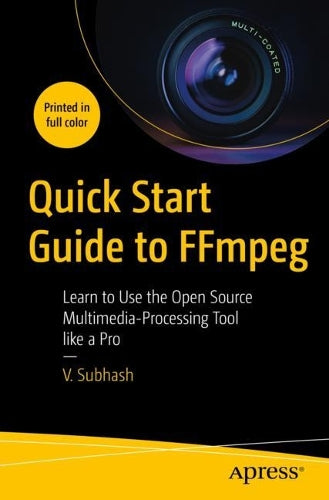

Quick Start Guide to FFmpeg
Couldn't load pickup availability
Collapsible content
DESCRIPTION
Learn to Use the Open Source Multimedia-Processing Tool like a Pro Create, edit, modify and convert multimedia files using FFmpeg, the most versatile open source audio and video processing tool available for Linux, Mac and Windows users. Create, edit, modify and convert multimedia files using FFmpeg, the most versatile open source audio and video processing tool available for Linux, Mac and Windows users. After reading this book, you will be able to work with video and audio files, images, text, animations, fonts, subtitles and metadata like a pro. It begins with a simple introduction to FFmpeg executables — ffmpeg, ffprobe and ffplay, and explains how you can use them to process multimedia containers, streams, audio channels, maps and metadata. It then describes how you can easily edit, enhance and convert audio, video, image and text files. There are dedicated chapters for filters, audio, subtitles and metadata, as well as FFmpeg tips and tricks. Sample lists of FFmpeg filters, encoders, decoders, formats and codecs are also available as appendices. Quick Start Guide to FFmpeg is for anyone who needs to edit or process multimedia files including studio professionals, broadcast personnel, content creators, podcasters, librarians, archivists and webmasters. It will be indispensable for those wanting to process a variety of multimedia files from the command line and inside shell scripts or custom-built software. You Will Learn To:
This Book For:
Content creators and bloggers from professional studio employees to Youtubers and hobbyists who need to process their own multimedia content; multimedia archivists and librarians; regular Linux desktop users
DELIVERY & RETURNS
UK Delivery:
- Free delivery on all orders of £10 or more.
- £1.49 delivery fee on orders below £10.
- UK orders are shipped via Royal Mail 2nd Class.
International Delivery:
- Flat rate delivery charges vary by country.
Dispatch and Delivery Times:
- All orders are shipped from our warehouse in Northampton, UK within 48 hours of receipt during working hours.
- UK mainland orders typically arrive within 3-5 working days via Royal Mail 2nd Class.
- International estimated delivery times:
- Europe & Channel Islands: 7 to 10 working days
- USA: 7 to 15 working days
- Rest of the World: 9 to 21 working days
View our full delivery infomation here.
-
OVER
2 MILLION PRODUCTS
-
60 MILLION CUSTOMERS
ACROSS 190 COUNTRIES
You might also like
Loading recommendations...